How to Create an Effective Robotic Arm Design for Beginners?
Creating an effective robotic arm design is an exciting yet challenging task for beginners. This project can ignite creativity and develop critical thinking skills. Beginners often face obstacles in understanding complex components and mechanics. However, breaking down the design process into manageable steps can help.
The key is understanding how each part functions together. A robotic arm design should include motors, sensors, and controllers. You may find that choosing the right materials is not easy. Mistakes are part of the journey. Perhaps your first design will not work as planned, leading to valuable lessons. Each failure can refine your skills and understanding.
Experimenting with different configurations can be both frustrating and rewarding. You might struggle during assembly or programming. Remember, reflecting on these challenges will enhance your learning experience. Embrace imperfections in your design. They will guide you closer to creating an effective and functional robotic arm.
Understanding the Fundamentals of Robotic Arm Design
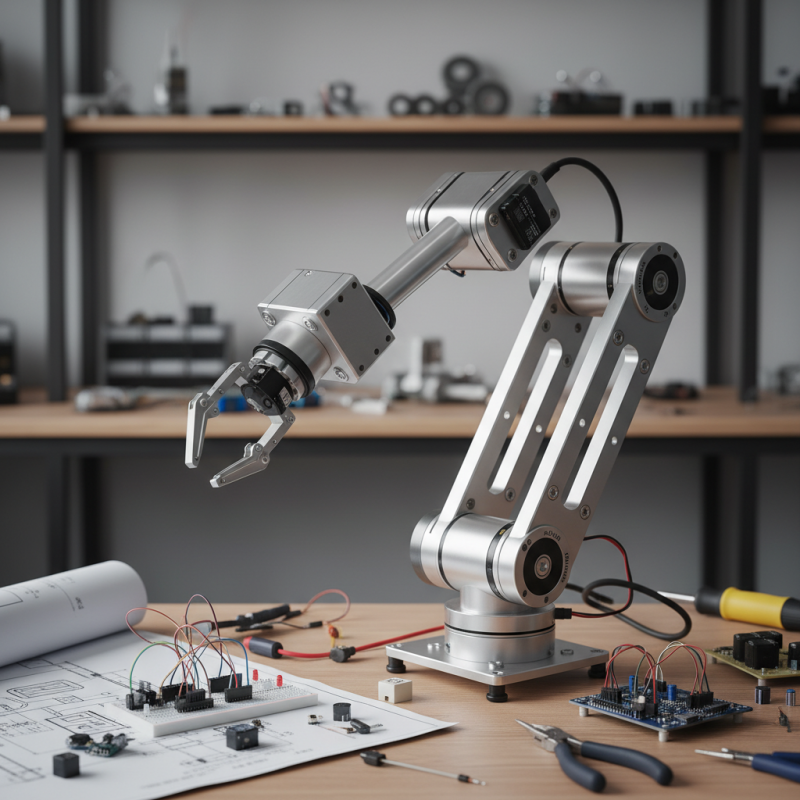
Creating a successful robotic arm design starts with understanding its fundamentals. An effective design needs both mechanical and electronic components. Consider the arm's degrees of freedom. How many joints does it need? Each joint adds complexity and requires precise control. Think about the materials too. Lightweight materials help with speed but may lack strength.
Next, consider the end effector. This is the part that interacts with objects. It could be a gripper, a suction cup, or even a tool. Choose one that fits your project's needs. For beginners, start simple. A basic gripper is easier to design and control.
Challenges will arise during the process. The balance between flexibility and strength often leads to compromises. Frequent testing helps identify flaws. Adjustments will be necessary based on performance. Reflecting on what works and what doesn't is key in this learning journey.
Choosing the Right Components for a Beginner's Robotic Arm
Creating a robotic arm requires careful selection of components, especially for beginners. Key components include motors, sensors, and controllers. According to a recent industry report, cost-effective stepper motors are popular in beginner designs. They offer precise control at a reasonable price. Servos are another option, providing additional torque but at a higher cost.
When choosing sensors, consider infrared or ultrasonic types. These sensors help your robotic arm detect objects accurately. Many beginners overlook the importance of good sensors, which can significantly affect performance. Additionally, a microcontroller acts as the brain of your robotic arm. Popular choices include Arduino and Raspberry Pi due to their community support and extensive libraries.
Tips: Start with a simple design. Complexity can overwhelm beginners. Focus on basic movements first. Experiment with different components to see what works best for your project. Keep track of your failures, as they often provide the best learning experiences. Remember, the journey is as important as the final design. Don’t hesitate to adjust and rethink your approach as you receive feedback during the building process.
Component Usage in Beginner Robotic Arm Designs
Design Considerations: Dimensions, Movements, and Functionality
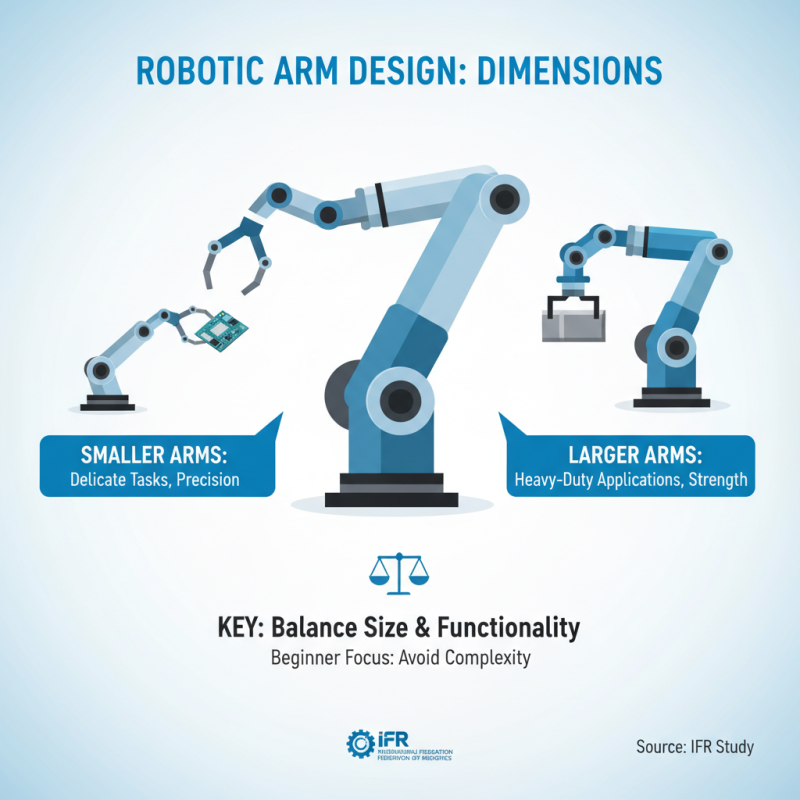
Designing a robotic arm involves various critical considerations. First, dimensions play a pivotal role. The size of the arm affects its reach and dexterity. A study by the International Federation of Robotics notes that smaller arms are ideal for delicate tasks, while larger models excel in heavy-duty applications. Beginners should find a balance between size and functionality to avoid unnecessary complexities.
Next, movement capabilities are essential. A well-designed arm should mimic human motions. For instance, incorporating at least six degrees of freedom enables versatile operation. This allows the arm to rotate and pivot effectively. However, achieving fluid movements requires precise motor selection, which can be challenging for beginners. Miscalculations here can lead to subpar performance.
Functionality must align with intended tasks. It is common for novices to overestimate their robotic arm's abilities. Simple tasks like picking up an object can seem straightforward, but maintaining stability is critical. Research shows that arms with a poor grip can fail 30% of the time in practical scenarios. This is a reminder that testing and revisions are an integral part of the design process.
Basic Programming Techniques to Control Your Robotic Arm
Programming a robotic arm can be fun and challenging. For beginners, it's essential to start with basic techniques. This involves understanding fundamental programming concepts. Simple commands allow you to control the arm's movements. You can use languages like Python or C++. They are beginner-friendly. Remember, each step is crucial.
When you're coding, focus on precision. For instance, if you're operating a single joint, ensure your commands specify the angle clearly. Mistakes may lead to unexpected results, like jerky movements. Debugging is a part of the process. Some might find their code doesn't work as expected. Reflect on what went wrong. It can be an opportunity to learn.
Another essential skill is using libraries. These tools can simplify control of the robotic arm. Libraries provide pre-written code for common functions. However, relying solely on them can limit your understanding. Try to explore how they work behind the scenes. Experiment with different commands to see how the arm reacts. This hands-on approach builds confidence. Each small success boosts your creativity. Keep experimenting and learning.
How to Create an Effective Robotic Arm Design for Beginners? - Basic Programming Techniques to Control Your Robotic Arm
| Component |
Description |
Programming Language |
Control Method |
| Servo Motor |
Provides angular movement for the arm joints |
Python |
PWM control |
| Microcontroller |
Main control unit for processing inputs and outputs |
C/C++ |
GPIO pins control |
| Sensors |
Detect position and orientation of the arm |
Python |
I2C communication |
| Power Supply |
Provides necessary voltage and current to components |
N/A |
Direct connection |
| Chassis |
Physical structure supporting the arms and motors |
N/A |
N/A |
Testing and Troubleshooting Your Robotic Arm Design
Testing and troubleshooting your robotic arm design is crucial for success. According to the Journal of Robotics and Automation, over 30% of robotic arm projects fail during the testing phase. This highlights the necessity for meticulous validation processes. Builders need to understand that even small errors in assembly can lead to significant functional issues. For instance, an incorrect servo alignment can disrupt movement accuracy.
Many beginners overlook basic troubleshooting steps. It’s vital to check connections and calibrate sensors. Some may find that motors do not respond as expected. This often stems from power supply issues. In fact, a report by the Robotics Industry Association states that nearly 25% of robotics failures are due to inadequate power management. Monitoring voltage levels is essential to avoid such pitfalls.
Even after thorough testing, some components may still malfunction. If the robotic arm shakes during operation, recalibration is necessary. Unresponsive joints require a fresh inspection. Would adjusting the code improve performance? Reflecting on these questions helps in narrowing down the root causes of problems. Failure can teach more than success; each issue is a pathway to enhancement.