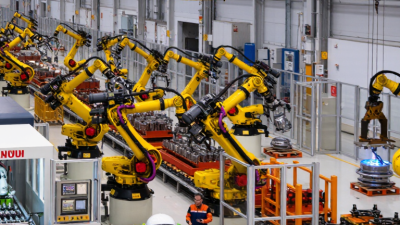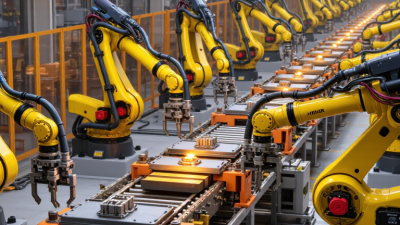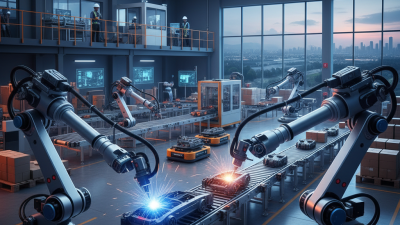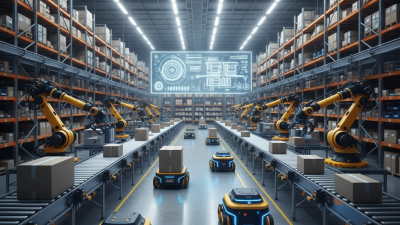

A FANUC robot is an industrial machine designed to move tools or parts with repeatable precision. You may see one loading a machine, welding a joint, or placing components on a conveyor. Its bright yellow arm is recognizable, but color is the least important detail. What matters is how its joints, controller, software, and end-of-arm tool work together.
The robot’s controller sends coordinated commands to motors at each joint. Encoders report joint positions, helping the system follow programmed paths and return to target locations. An operator or integrator creates those programs, often using a teach pendant or approved software. The selected tool matters, too. A gripper, welding torch, or inspection sensor changes what the same arm can accomplish. Small changes in payload, speed, or reach can affect performance, so specifications should be checked against the actual task.
This guide explains the main parts of a FANUC robot and the basic cycle behind its movement. It also introduces common applications, programming methods, and safety considerations. That context is useful. A robot does not understand a task as a person does; it follows instructions within defined limits. Even a carefully programmed system can need adjustment when parts shift or tooling wears. That detail is easy to overlook. Understanding both the capabilities and constraints helps readers assess whether a FANUC robot suits a particular production process, rather than assuming one model fits every job.
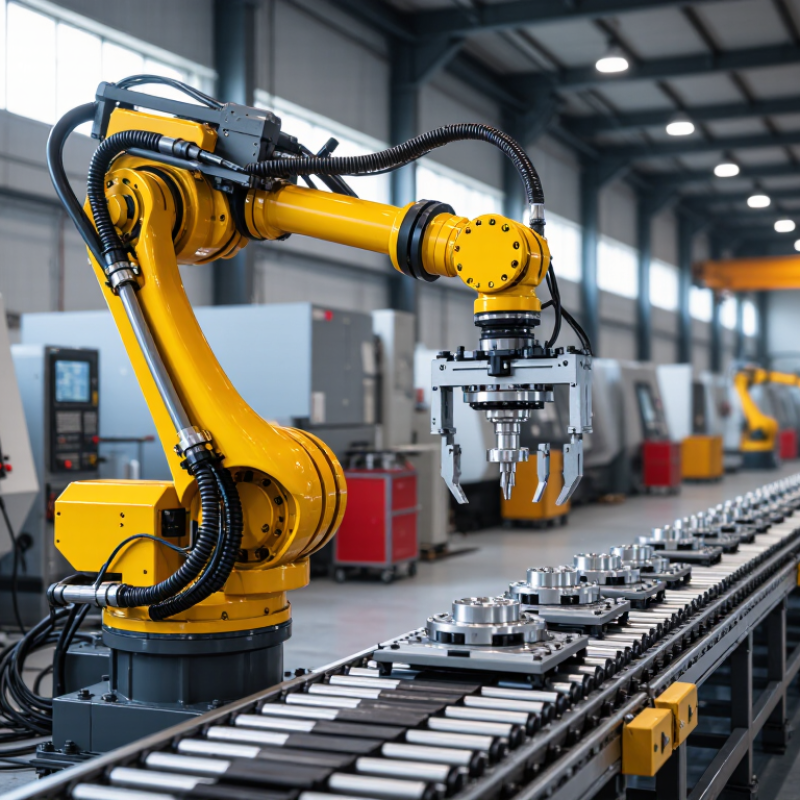
A six-axis industrial robot uses six coordinated joints to move through three-dimensional workspaces. Its base rotates, while the arm bends, extends, and turns the tool. This arrangement supports welding, palletizing, handling, and machine tending. Some heavy-duty models support payloads up to 2,300 kg. That capacity is substantial, but it is not a universal working limit.
Inside the system, servo motors move each axis through programmed positions. Encoders report joint angles to the controller. The controller compares actual movement with the planned path and corrects small errors. A gripper, fork, or welding tool then performs the task. In practical installations, reach, speed, wrist load, and motion direction affect usable payload. A 2,300 kg rating may apply only under specific conditions. Assuming otherwise can cause poor results, or worse, equipment damage. I have found that payload charts deserve more attention than headline specifications.
Tips: Check the complete load, including fixtures and cables. Test the center of gravity before production. Keep heavy loads close to the wrist’s intended orientation. Use low-speed trials to observe vibration, stopping distance, and unexpected cable movement. Record cycle results, because real performance can differ from simulation. Also, involve a qualified integrator when floor strength, guarding, or safety controls require verification. Some applications need a smaller robot with better accuracy, even when a larger model seems attractive.
Illustrative payload ratings for industrial robots, from compact units to heavy-duty systems. Actual capacities vary by robot design and operating conditions.
A six-axis robot has six independently controlled joints, allowing its arm and tool to move through complex positions and orientations. Payload is the maximum load specified for a robot; it does not indicate reach, speed, or lifting capacity in every pose.
An industrial robot is a programmable machine that moves tools or parts through repeatable paths. Its manipulator is the articulated arm: joints rotate, links extend, and a wrist positions the end tool. Servo motors drive those joints, while encoders report their positions to the controller. The result is coordinated motion, not merely a motor turning. The International Federation of Robotics reported 4.28 million industrial robots operating worldwide in 2023, showing how widely these systems support manufacturing. Yet accuracy still depends on setup, payload, and maintenance.
The teach pendant lets an operator jog the arm, set points, and review programs. Its screen may show joint positions, alarms, and speed settings. The R-30iB controller processes motion commands, reads feedback, and coordinates the motors. Think of it as the system’s traffic manager. If one axis lags, the controller can adjust motion or raise a fault. A polished interface does not guarantee a good program. Poorly chosen points can still cause awkward movements.
Tips: Before production, test each path at reduced speed and confirm clearances around fixtures. Keep the pendant accessible, but secure it when not in use. Record payload and tool details; small omissions matter. Check the manufacturer’s documentation for the specific controller configuration, since options vary. A useful habit is to watch the tool tip, not just the screen. That extra check can catch mistakes early.
| Component | Primary Function | Main Elements | Typical Technical Characteristics | How It Works in the System |
|---|---|---|---|---|
| Manipulator | Moves the tool or workpiece through programmed positions. | Base, links, joints, gear reducers, wrist, tool flange, and cable routing. | Usually 4–6 rotary axes; approximate reaches commonly range from 0.5 to over 3 m; payloads may range from less than 1 kg to several hundred kilograms, depending on the model class. | Joint motion is coordinated to produce accurate Cartesian movement in the X, Y, Z, and orientation directions. |
| Servo Motors | Provide controlled torque and speed at each robot axis. | AC or brushless motors, encoders, amplifiers, brakes, and reduction mechanisms. | Closed-loop position control; feedback resolution may reach millions of counts per revolution; holding brakes are commonly fitted to vertical axes. | The controller compares commanded and measured position, then adjusts motor current to reduce motion error. |
| Position Feedback | Reports the actual angular position and speed of each axis. | Absolute or incremental encoders, feedback cables, and signal-processing circuits. | Feedback operates continuously during powered motion; accuracy depends on encoder resolution, mechanical stiffness, calibration, and load. | Measured feedback enables interpolation, speed regulation, collision detection, and repeatable return to programmed positions. |
| Teach Pendant | Allows an operator or programmer to configure, jog, teach, and monitor the robot. | Display, command keys, mode selector, emergency-stop button, and enabling switch. | Supports joint, linear, tool, and user-coordinate jogging; includes program editing, alarm history, status screens, and calibration menus. | The user records positions and process instructions, while safety controls restrict motion during setup and manual operation. |
| Robot Controller | Executes the motion program and coordinates all robot functions. | Industrial processor, motion-control boards, servo amplifiers, I/O modules, safety circuits, and communication interfaces. | Controls multi-axis interpolation, tool-center-point calculations, speed limits, digital I/O, fieldbus communication, and fault monitoring. | It converts program commands into synchronized axis commands and exchanges signals with sensors, tooling, conveyors, and safety equipment. |
| End-of-Arm Tool | Performs the application-specific task. | Grippers, welding equipment, vacuum devices, dispensers, cutting tools, sensors, and tool changers. | Tool payload, air pressure, electrical power, gripping force, duty cycle, and mounting pattern must match the robot and process. | The controller activates the tool through digital outputs, analog signals, pneumatic valves, or network commands at programmed positions. |
| Safety System | Prevents or limits hazardous motion and energy release. | Emergency stops, gate interlocks, safety scanners, enabling devices, speed monitoring, and protective fencing. | Safety functions are designed according to the risk assessment and applicable machinery-safety requirements. | A safety event removes or limits drive power, stops programmed motion, and requires an authorized reset before operation resumes. |
| Typical Operating Sequence | Defines how the complete robot cell performs a task. | Program selection, homing, part detection, motion execution, tool activation, inspection, and completion signal. | Cycle time depends on travel distance, payload, acceleration, process dwell time, tooling, and external equipment. | Sensors provide conditions, the controller calculates motion, servo systems move the axes, and the tool completes the programmed operation. |
Note: Technical ranges are representative of industrial robot systems. Actual reach, payload, speed, accuracy, and safety performance vary by robot design, tooling, application, and installation.
A six-axis industrial robot combines mechanical joints, motors, encoders, and a programmable controller. Its motion begins with a target position, such as placing a part into a fixture. The controller converts that position into coordinated joint angles. Each motor then moves its joint toward the assigned angle.
Encoders measure shaft position many times per second. Their feedback tells the controller whether a joint is early, late, or overshooting. A servo loop compares the commanded position with the measured position. It then adjusts motor current to reduce the error. This cycle repeats continuously, often within milliseconds.
The International Federation of Robotics reported 541,302 industrial robot installations worldwide in 2023. That scale makes reliable feedback essential, not optional.
The motion can look simple. It is not.
During commissioning, technicians check encoder direction, zero positions, acceleration, and payload settings. A small calibration error can create visible wrist drift near a fixture.
In practice, vibration, cable drag, temperature, and tool weight also affect accuracy. The controller compensates for some changes, but compensation is not magic.
A 2024 robotics industry analysis by Interact Analysis identified continued growth in automation demand, increasing pressure for higher uptime and more precise motion control. Yet faster loops do not fix poor mechanical setup. Careful inspection still matters. That is the part many explanations miss.
A FANUC robot is an industrial robot arm controlled through programmed motions and safety limits. Its work depends on more than entering coordinates. A technician teaches points along the intended path, such as a pickup position, a clearance point, and a place position. Each point should be checked at low speed before production. A small error near a fixture can become a collision.
Tool frames make those points meaningful. The frame describes the tool center point relative to the robot’s wrist, including its offset and orientation. If a gripper is changed, its tool frame must be measured again; otherwise, the arm may reach the programmed wrist pose while the actual tool misses the part. Work frames locate the job relative to a fixture or pallet. Keep names and measurements consistent. It sounds obvious, but rushed frame setup is a common source of avoidable rework.
Accuracy checks should go beyond watching one successful cycle. ISO 9283 specifies methods for evaluating industrial robot performance, including pose accuracy, repeatability, and path-related characteristics. A practical test records commanded and measured positions across repeated movements, with the same payload, speed, and approach direction. The International Federation of Robotics reported 541,302 industrial robot installations worldwide in 2023, showing the scale of deployment, not the accuracy of any individual cell. That distinction matters. Test the actual setup, document deviations, and investigate drift before compensating blindly. Real cells are rarely as tidy as the drawing.
In a 24-hour factory, an industrial robot must repeat the same motion without losing accuracy. It receives programmed coordinates from a controller, then moves each joint through electric motors and gear systems. Sensors track position, speed, and load during every cycle. Welding cells use this control to guide a torch along a fixed seam. The robot maintains a steady angle and travel speed, even when heat changes the metal. Fixtures hold parts in place. Operators still inspect weld quality and adjust settings when materials behave differently.
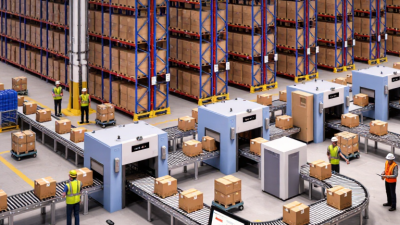
Handling tasks depend on reliable timing. A robot can lift molded parts, move cartons, or feed components between machines. Its gripper must match the object’s shape, weight, and surface texture. A small slip can stop production. Assembly work is less forgiving. Pins, screws, and connectors require controlled force, not only fast movement. Vision cameras can help locate parts, but lighting, dust, and reflections may reduce accuracy. That limitation is easy to underestimate.
Around-the-clock deployment also needs planned maintenance. Technicians check cables, lubrication points, tooling, and protective systems during scheduled pauses. Safety scanners and guarded zones help separate people from moving equipment. Still, automation is not completely independent. Programs need revision when products change, and unusual noise may signal wear before failure. A practical team records these details instead of trusting the robot blindly. It works hard, but it does not understand the factory.