
• Gantry Robot Manufacturer & Articulated Arm Integrator

7 Best Automated Storage Solutions for Warehouses?

Warehouse leaders face a practical challenge: moving more goods through limited space without creating new bottlenecks. Automated storage solutions can help by improving access to inventory, using vertical space, and reducing unnecessary travel across the floor. But automation is not a single machine. The right choice depends on order profiles, product dimensions, throughput targets, building constraints, and how workers interact with the system.

The pressure to invest is real. MHI and Deloitte’s 2024 Annual Industry Report found that 55% of supply chain leaders planned to increase investment in supply chain technology and innovation. That figure signals strong interest, not guaranteed savings. No system is magic. A shuttle may suit dense, high-volume storage, while vertical lift modules can work well for smaller parts and compact areas. Pallet systems, automated guided vehicles, and robotic goods-to-person solutions each solve different problems. A mismatch can leave expensive equipment underused.

This guide compares seven options, focusing on operating fit rather than broad promises. Consider a busy picking aisle, a mixed-SKU inventory, or a warehouse with limited headroom: each calls for different questions about capacity, integration, maintenance, and safety. Start with the work itself. Measure travel time, order lines, seasonal peaks, and replenishment patterns before choosing equipment. The data may be incomplete. That is worth admitting. A careful assessment, supported by facility-level evidence and vendor performance details, gives decision-makers a firmer basis for comparing systems and planning a realistic implementation.
7 Best Automated Storage Solutions for Warehouses?

What Automated Storage Solutions Do in a Warehouse

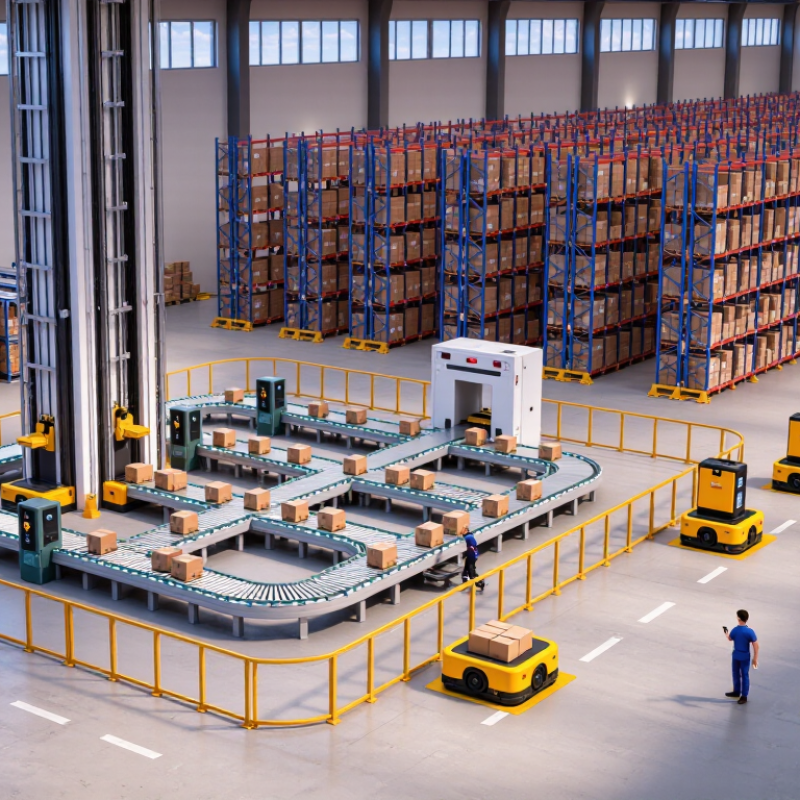
Automated storage solutions organize, retrieve, and deliver inventory with less manual travel and searching. Depending on the system, shelves, bins, or pallets move to a worker, or equipment carries goods to a fixed station. Sensors and inventory software track locations while controls direct storage and retrieval tasks. At a packing area, a tote might arrive minutes after an order is released, ready for scanning and picking. Less walking. These systems can use warehouse height more effectively and reduce picking errors when item locations are kept accurate.

Automation does not remove every hands-on task. Staff still replenish stock, handle exceptions, and check that labels match system records. A crushed carton or outdated inventory record can interrupt the flow. Small faults matter. Before installation, operators should map order patterns, load sizes, peak volumes, and required access times. A system designed around average demand may struggle during a seasonal rush. Maintenance access, worker training, and a manual fallback need practical planning. On a busy shift, workers may still divert an unusual item to a marked exception lane.

Seven Leading Automated Storage Solutions for Warehouses

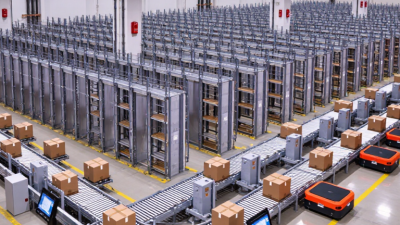
Automated storage solutions differ in the loads they handle, the space available, and the speed a warehouse needs. Unit-load automated storage and retrieval systems use cranes to move full pallets through tall racks. Mini-load systems handle smaller cartons or totes, often serving workstations where staff pick individual items. Vertical lift modules store trays inside an enclosed tower and bring selected trays to an operator.

Space matters. Their height can free floor area, but building clearance and service access still need careful checks.

Vertical carousels rotate shelves around a track, while horizontal carousels move bins along an oval path. Both can reduce walking for frequent small-item picks. A pallet shuttle system sends a powered carrier into deep rack lanes, limiting forklift travel inside them. It can suit high-volume, similar products, though mixed stock may need a different layout.

Fit comes first.

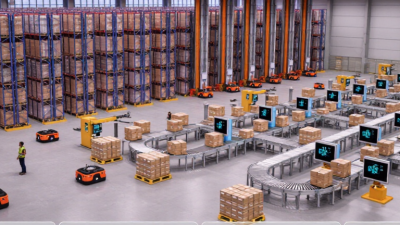
Autonomous mobile robots can carry shelves or totes to goods-to-person stations. They offer flexibility when routes or demand change, but traffic rules and charging areas affect performance. In practice, storage density alone is a poor selection guide. Teams should compare item dimensions, order patterns, replenishment access, and peak-hour demand.

A system may look efficient in a model and still disappoint when product locations change often. That detail is easy to underestimate.

How Automated Storage Systems Work with Warehouse Software

7 Best Automated Storage Solutions for Warehouses?
How Automated Storage Systems Work with Warehouse Software

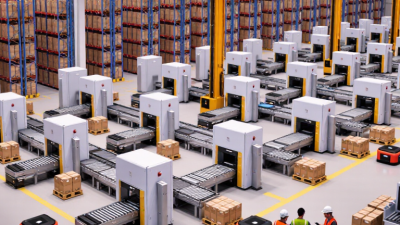
Automated storage systems do not work alone. A warehouse management system (WMS) records inventory locations and releases orders. A warehouse execution system (WES) can sequence work, while a warehouse control system (WCS) sends commands to conveyors, lifts, or retrieval machines. The exact division varies by facility. A tote may be requested, retrieved, scanned, and routed to a packing bench in seconds—but only if software records each handoff correctly.

Integration matters most when conditions change. If an aisle is blocked or a bin is empty, equipment controls report the exception, and warehouse software can redirect work or request a count. A neat dashboard can still hide bad inventory data. That is a real weakness. Teams should test failure scenarios, not just smooth demonstrations, and confirm that item IDs, locations, and order priorities match across systems.

The 2024 MHI Annual Industry Report found that 55% of surveyed organizations planned to invest more than $1 million in supply-chain innovation; 88% saw digital supply chains as a competitive advantage. Those figures signal interest, not guaranteed returns. Before choosing a system, measure order lines per hour, replenishment delays, and recovery time after faults. Small details matter: a misread barcode can send the wrong tote downstream. Start with clean data and a clearly defined software interface.

7 Best Automated Storage Solutions for Warehouses — How Automated Storage Systems Work with Warehouse Software

Automated storage solution How it stores and retrieves items Warehouse software coordination Best suited for Key considerations
Vertical lift module (VLM) Trays are stored vertically on both sides of an extractor. The system retrieves a requested tray and presents it at an access opening. A WMS can direct the order and record inventory movements; a machine controller manages tray retrieval and reports status. Small- to medium-sized items, controlled-access inventory, and facilities seeking to use vertical space. Check item dimensions, weight limits, tray configuration, and the space needed for the access opening and replenishment.
Vertical carousel Bins or shelves rotate on a vertical track until the requested storage location reaches the operator. Software sends retrieval requests and can guide the operator through picking; the controller runs the carousel and confirms presentation. Frequently accessed small parts and operations with a relatively consistent range of item sizes. Rotation brings locations to a fixed access point, so throughput depends on item location, batching, and the sequence of requests.
Horizontal carousel Bins circulate horizontally along a track and are delivered to a picking station. WMS or warehouse execution software can group picks by order or batch; the controller coordinates carousel movement and station activity. High-frequency small-item picking where several carousels can serve a shared work area. Requires adequate floor space and coordinated workstations; capacity and output depend on the layout and operating method.
Mini-load AS/RS Automated cranes or similar retrieval equipment handle totes, trays, or small containers in rack aisles. The WMS manages inventory and order demand, while warehouse control software schedules equipment movements and interfaces with conveyors or stations. Dense storage and automated handling of containerized goods with repeatable dimensions. Container standards, aisle design, equipment access, and recovery procedures should be defined during system planning.
Unit-load AS/RS Automated cranes store and retrieve pallet-sized loads from high-density rack structures. WMS transactions assign storage locations and track pallets; control software executes moves and coordinates material-handling equipment. Pallet storage, high-bay facilities, and operations handling substantial volumes of standardized loads. Load stability, pallet quality, building structure, fire protection, and equipment maintenance are important design factors.
Shuttle-based AS/RS Shuttles move totes or trays within storage lanes, often using lifts to transfer loads between levels and workstations. Warehouse execution or control software assigns storage and retrieval tasks, balances equipment activity, and connects the system to the WMS. High-density tote storage where demand patterns benefit from multiple shuttles and presentation stations. Performance depends on the number of shuttles, lifts, lanes, and stations, as well as how software releases and sequences tasks.
Autonomous mobile robots (AMRs) for storage-to-person workflows Mobile robots transport shelves, racks, or containers between storage areas and picking or replenishment stations. WMS software provides order and inventory information; fleet-management software assigns routes and coordinates robot traffic and station tasks. Facilities that need flexible goods-to-person movement or want to automate transport without a fixed conveyor route. Plan for charging, pedestrian safety, traffic flow, station capacity, and integration with existing inventory processes.

How to Choose the Right Storage Solution

7 Best Automated Storage Solutions for Warehouses?

Choosing an automated storage system starts with the work your warehouse actually handles. Measure daily picks, peak-hour demand, item dimensions, and load weights. A system suited to small, fast-moving products may not fit bulky cartons or slow-moving inventory. Check ceiling height, aisle space, floor capacity, and access for maintenance. These details can narrow the options before you compare costs.

Tips: Map a typical order from storage to packing. Note where workers wait, walk, or handle items twice. Ask suppliers to demonstrate your own product mix, not just a polished sample. Include software integration, staff training, service access, and downtime plans in the total cost. Small details matter.

Compare options against clear measures: picking accuracy, order throughput, usable space, and expected operating costs. Ask how the system performs during seasonal peaks and what happens if a component stops. A site visit or limited pilot can reveal practical issues that a brochure cannot. No plan is perfect; odd-shaped cartons still cause surprises. Recheck your assumptions with warehouse staff, since the people handling stock often spot awkward steps that a spreadsheet misses.

Planning, Integrating, and Maintaining an Automated System

Choosing among shuttle systems, vertical lift modules, carousels, mini-load cranes, and automated mobile robots starts with the work, not the equipment. Map SKU velocity, order lines, tote dimensions, and peak-hour demand. Measure twice. MHI’s 2023 Annual Industry Report found that 83% of respondents expected to adopt robotics and automation within five years. That signals growing interest, not a guarantee of savings. Even careful forecasts miss seasonal spikes, awkward products, and late supplier deliveries.

Plan the layout around real travel paths, replenishment, fire access, and safe maintenance zones. Then test integration with the warehouse management system using actual order profiles. Confirm how exceptions move: a damaged tote or a barcode the scanner cannot read can stall a smooth-looking process. MHI’s 2024 report said 55% of respondents planned to increase investment in supply chain technology and innovation. Budget for integration, training, and downtime—not just machines. The software work is often underestimated.

Maintenance needs named owners, spare-part plans, inspection intervals, and clear recovery steps. Track missed picks, equipment stops, and response time by shift. Keep a manual fallback for critical workflows, and rehearse it before peak season. I would question any design justified only by average throughput. A system that handles a busy Monday but jams on mixed-size cartons is not truly ready. Review performance after each layout or product change; small changes accumulate.